 JK Codes
Your whole PC,
at a glance.
MiniMon is a tiny always-on-top system monitor and a faster Task Manager. CPU, memory, every graphics chip, disks, network and temperatures update every second in one compact window that floats above your work, your game or your film.

- CPU usage and clock speed
- Memory
- NVIDIA, AMD and Intel graphics
- Every disk
- Wi-Fi and Ethernet
- CPU and GPU temperature
- Battery
- Every running app
A live dashboard and a Task Manager in one small window.
Everything that matters, live.
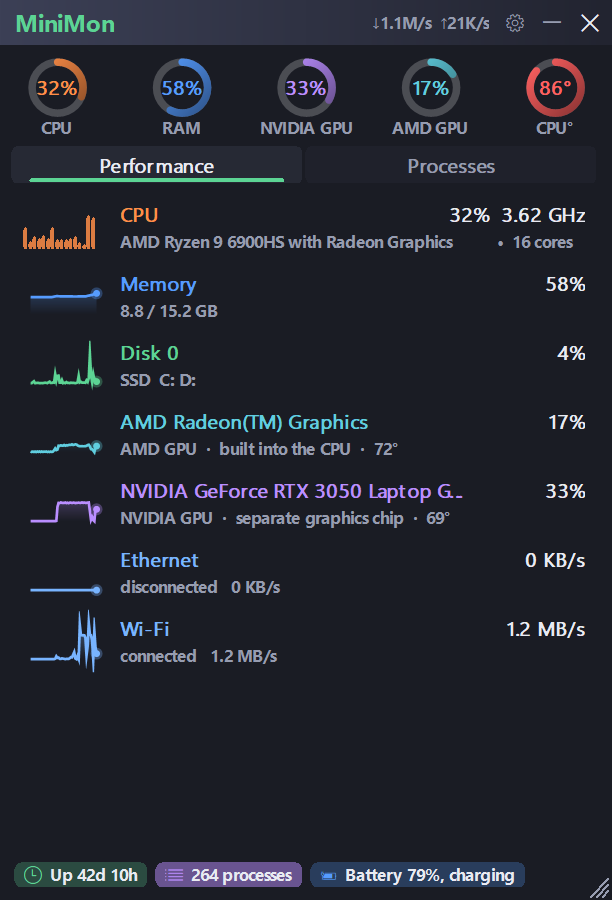
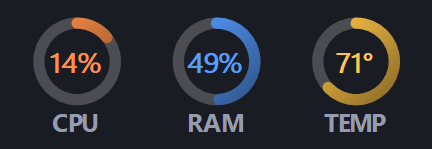
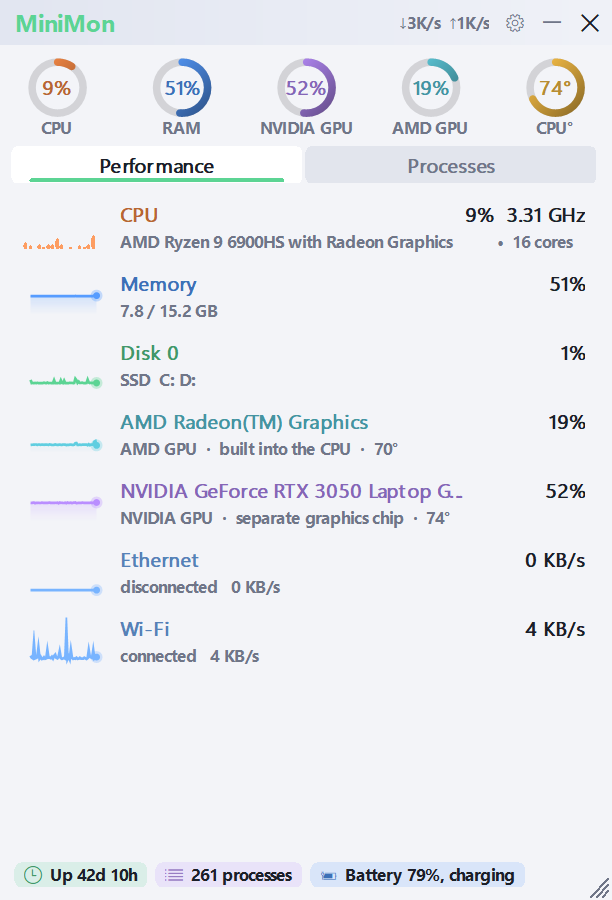
Five rings up top, then one row per component with its own live graph. MiniMon names your real hardware, down to each graphics chip by maker, and the rings change colour as a part gets busy or hot.
- CPU usage and real clock speed, calculated the way Task Manager does it.
- Every GPU, built-in and separate, with its temperature where the hardware reports one.
- Every disk and network adapter, with live activity and upload and download rates.
- Uptime, process count and battery in the footer.
A faster Task Manager.
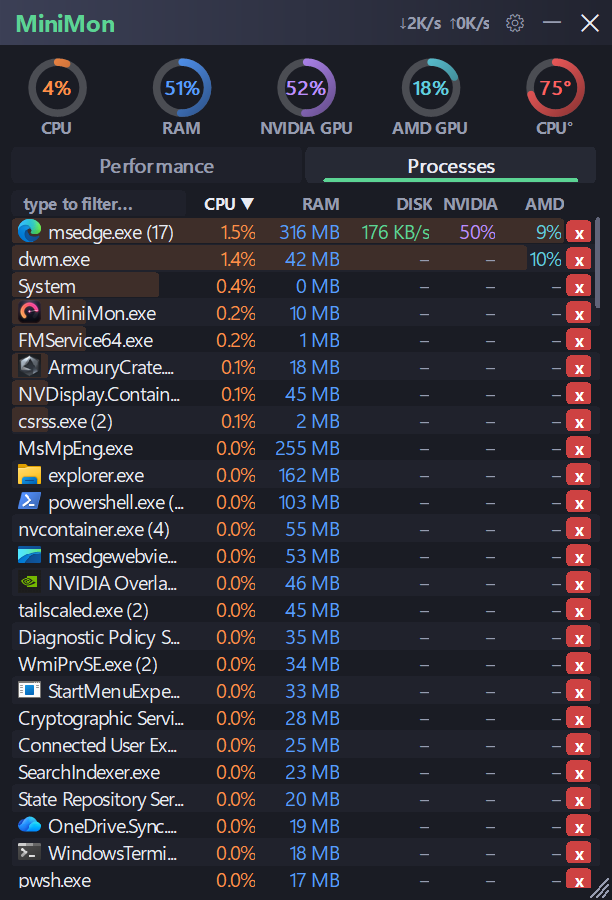
Every app is grouped into one row, so seventeen browser processes read as one. Type to filter, click a column to sort, and see what is really using your PC.
- Grouped, searchable and sortable by CPU, memory or disk, with each app's own icon.
- GPU use per app on every graphics chip.PRO
- End any task in one click.PRO
- Critical Windows processes are guarded, so nothing important gets ended by mistake.
Take control of any app.
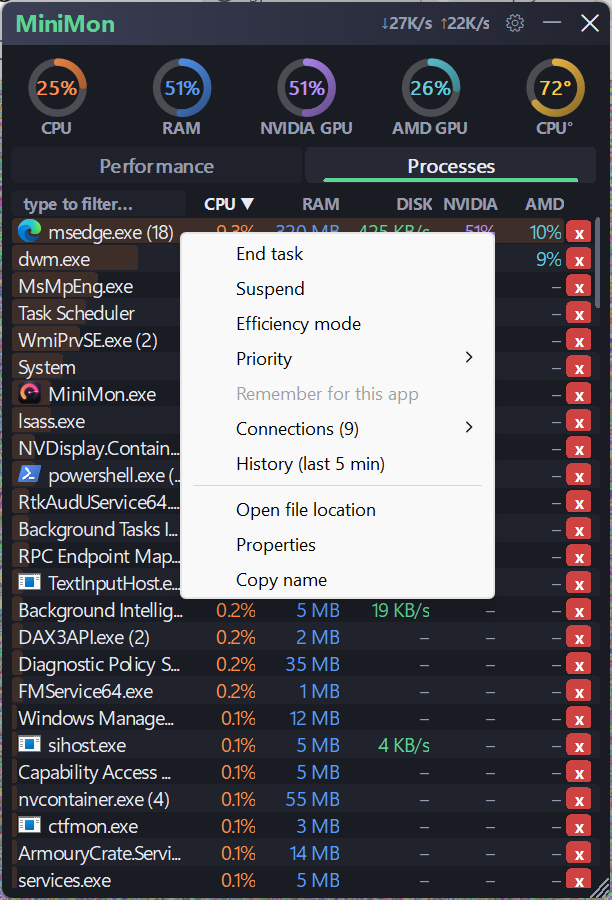
Right-click any app for the tools Task Manager hides several clicks deep, plus a few it does not have at all.
- Priority, suspend and resume in one menu.
- Efficiency mode on Windows 11.
- Remember it for that app, so your choice comes back next time.
- See its network connections and its last five minutes of history.
See what happened while you were away.
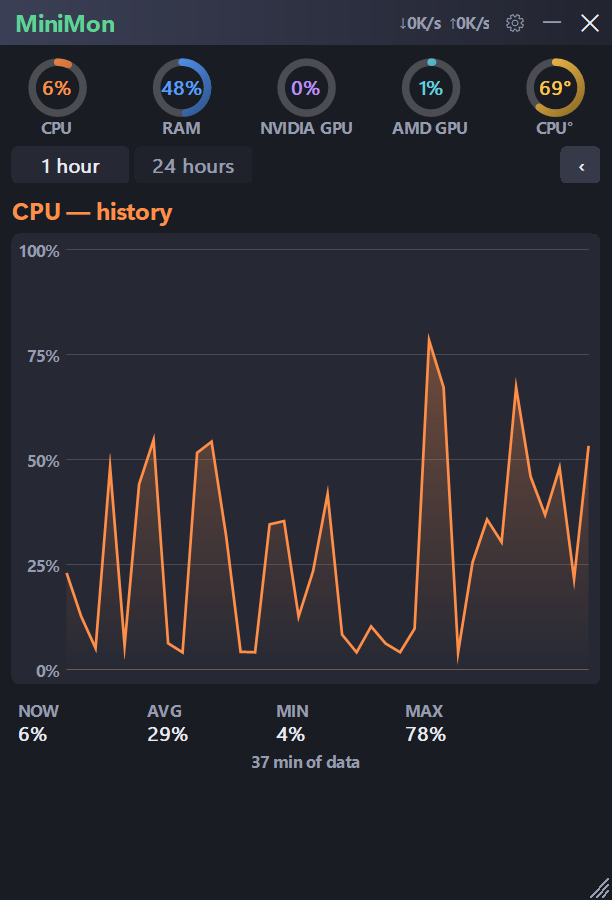
Click any ring for its full graph. Spot the spike that froze your game, the app that kept the fan running, or the download that ate your bandwidth.
- 1-hour and 24-hour graphs with now, average, minimum and maximum.
- Alerts when CPU, memory, temperature, disk or a single app crosses your limit.
- Log every metric to CSV and open it in Excel while it records.
Shrink it to a few pixels. It keeps watching.
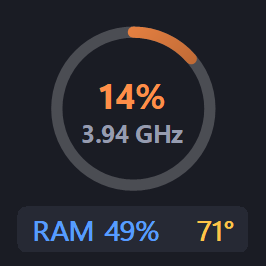
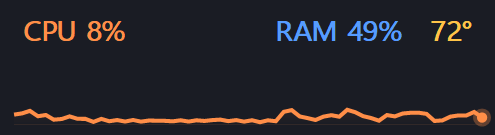
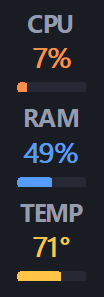
Every shape stays on top, drags anywhere and opens the full window with one click.
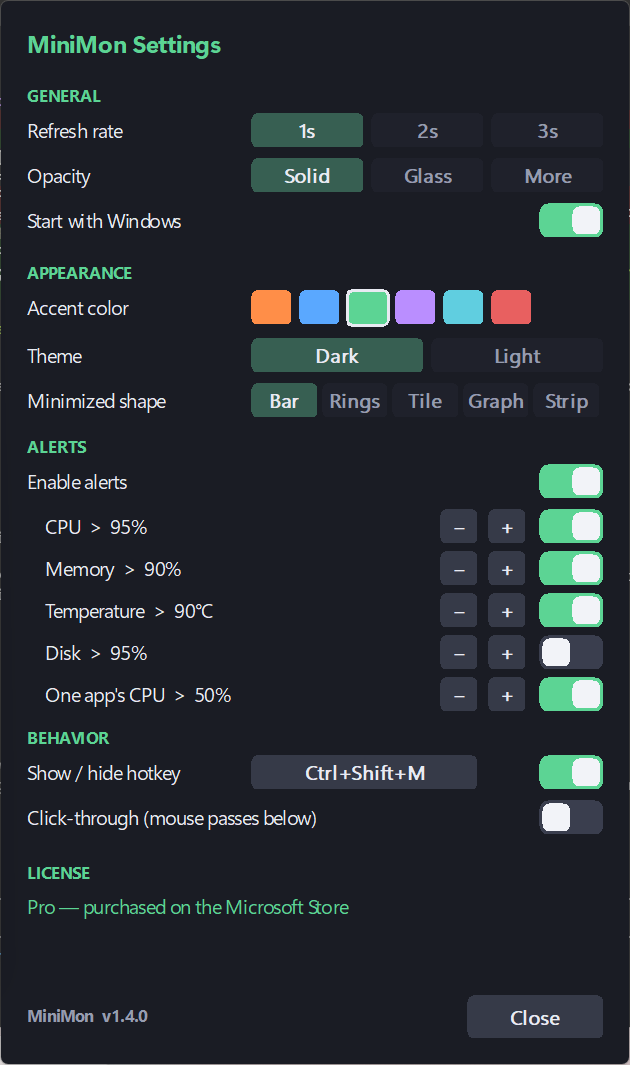
Stays out of your way. Looks the way you like.
MiniMon floats above everything, but you decide how much of it you see and whether it gets your mouse clicks.
- Show or hide with Ctrl+Shift+M, or any hotkey you choose.
- Click-through mode lets your mouse reach the game or video underneath.
- Starts with Windows and lives in the tray.
- Dark theme, six accent colours and a glass look.PRO
Start with everything you need. Add Pro when you want control.
MiniMon
Free download, no ads
- Live rings and graphs for CPU, memory, every GPU, disk, network and temperatures
- Processes grouped by app, searchable and sortable
- Always on top, with hotkey and click-through
- Minimize to a slim bar
- Light theme and start with Windows
MiniMonPRO
Everything in MiniMon, plus
- End any task in one click
- Priority, suspend and efficiency mode (Windows 11), remembered per app
- GPU use, connections and history for every app
- 1-hour and 24-hour history graphs
- Alerts for CPU, memory, temperature, disk and single apps
- CSV logging you can open in Excel
- Dark theme, six accents, glass and four more minimized shapes
Upgrade from inside MiniMon. The Microsoft Store handles checkout, and Pro stays with your Microsoft account.
Built the way a utility should be.
Most monitoring tools use more memory than the problem they are watching. MiniMon is one native Windows program that reads the same counters Windows itself uses.
Tiny and native
Under 1 MB, written in C++, with no .NET, no web runtime and nothing to install alongside it. It uses a few percent of one CPU core.
Numbers you can trust
MiniMon 1.4 was checked against Task Manager for CPU, memory, disk, GPU and network on Intel and AMD laptops with NVIDIA, AMD and Intel graphics.
Your data stays yours
MiniMon sends nothing to us: no telemetry, no ads, no analytics and no account. If it ever crashes, its report stays on your PC unless you choose to email it.
No kernel driver
Temperatures come from Windows and from ASUS, NVIDIA and AMD sensors where they exist. MiniMon never installs a driver that could destabilise your system.
Safe by default
Critical Windows processes are protected from being ended, and MiniMon tells you plainly when Windows itself will not allow an action.
Tested on real machines
MiniMon 1.4 passed its automated self-test battery on three laptops and on Windows 10, with and without administrator rights, before it reached the Store.
Runs on almost anything.
- Operating system
- Windows 10 version 1809 or later, Windows 11
- Architecture
- 64-bit (x64)
- Download size
- About 600 KB
- Memory in use
- About 20 MB
- Dependencies
- None
- Graphics
- NVIDIA, AMD and Intel
- Current version
- 1.4.0
- Privacy
- Read the policy
Questions people ask.
Is MiniMon free?
Yes. MiniMon is a free download from the Microsoft Store, with no ads. MiniMon Pro is an optional upgrade inside the app that unlocks the features marked Pro on this page.
I have Pro. Will it stay after a restart or on another PC?
Yes. Pro belongs to your Microsoft account, and MiniMon checks it with the Microsoft Store each time it starts. Sign in to the Microsoft Store with the same account on another Windows PC and Pro is there too. If Pro ever looks locked, open the Microsoft Store, go to Library, choose Get updates, then restart MiniMon.
Does MiniMon collect any data?
No. MiniMon has no telemetry, no analytics and no ads, and it never sends anything to us. Your Pro status is checked by the Microsoft Store service built into Windows. See the privacy policy.
Why can I not end some processes?
Some processes run with administrator rights, and Windows does not let Microsoft Store apps run as administrator. MiniMon tells you when that happens and offers to open Task Manager for it. Critical Windows processes are protected so they cannot be ended by mistake.
Will it show my CPU temperature?
MiniMon reads temperature from Windows and, on supported hardware, from ASUS, NVIDIA and AMD sensors. It deliberately installs no kernel driver, so on some desktop boards a CPU temperature is not exposed and MiniMon shows what Windows reports.
Does it slow down games?
No. MiniMon is a native program of under 1 MB that uses a few percent of one CPU core. Turn on click-through and it floats over a borderless game without taking your mouse.
Does it work on Windows 10?
Yes. MiniMon runs on 64-bit Windows 10 version 1809 or later and on Windows 11. Efficiency mode needs Windows 11.
How do I get support?
Email support@jkcodes.app with your Windows version and what you saw, or use Send feedback in MiniMon's menu. Screenshots help.
Stop guessing what your PC is doing.
Get MiniMon free from the Microsoft Store and see everything your PC is doing from the first second.